Split costs to match the occasion
Split equally, by integer shares or by specified amounts. Include only the participants involved; the person who paid need not share that expense.

One person records shared expenses, who paid and who shares each cost. Review everyone’s remaining balance, then send a settlement summary or full bill to the group. Friends can read shared text or images without installing the app.
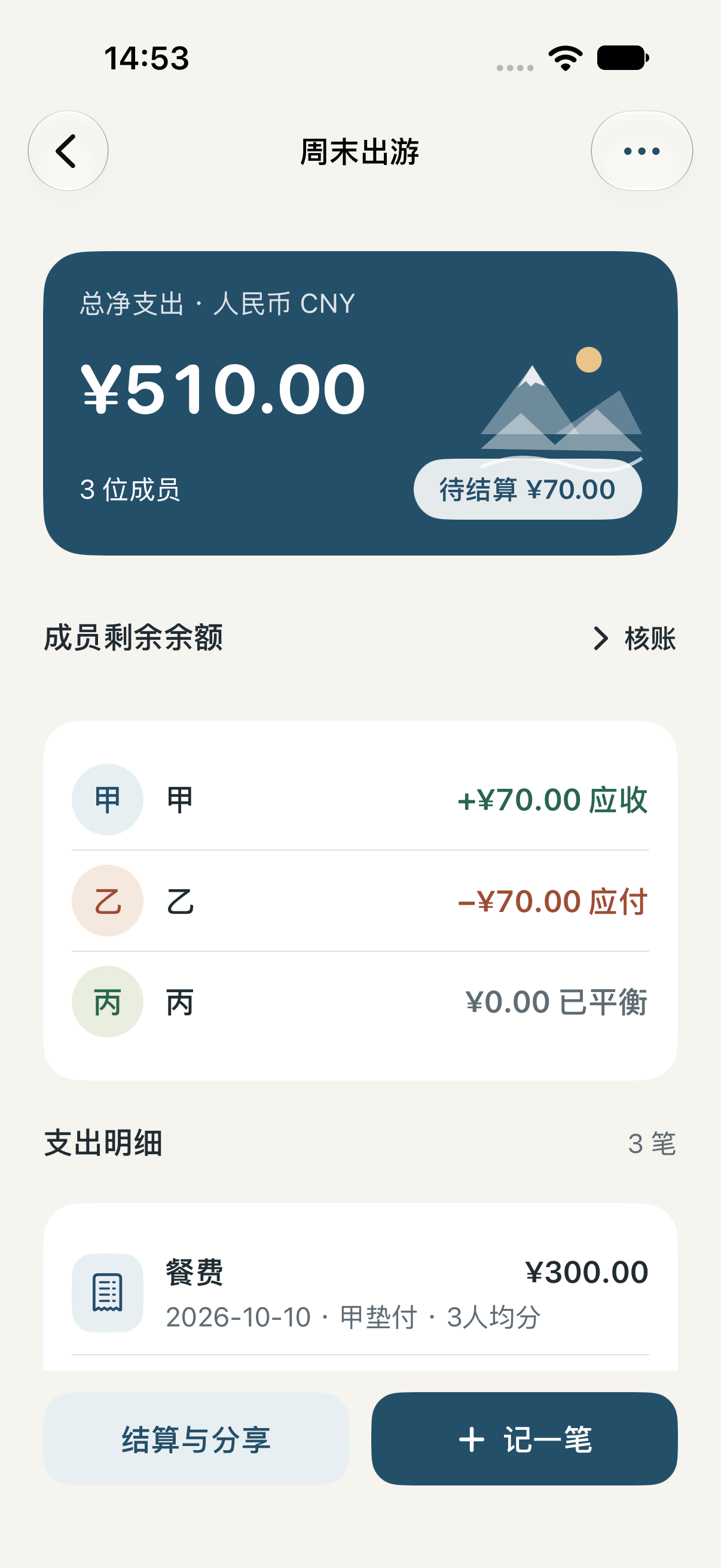
Split equally, by integer shares or by specified amounts. Include only the participants involved; the person who paid need not share that expense.
Review expenses, individual allocations, refunds and manually recorded payments to understand where a balance comes from.
Preview text or image bills. Long bills are paginated, and you choose whether to include notes. Recipients do not need the app to read them.
Ledgers stay on your device. Export backups manually; restoring creates an independent copy without overwriting the original ledger.
The app does not collect money, transfer funds or verify bank receipts. Settlement suggestions are for review; actual payments are entered manually. Each ledger uses one currency, without automatic currency conversion.
Actively claim the trial in the app. After Apple verifies it, 168 continuous hours run from the original claim time, not installation or first launch. There is no automatic renewal. Permanent access is a one-time purchase at the price displayed by Apple.
Before claiming or after expiry, existing ledgers remain viewable, auditable, shareable and exportable as backups. Expiry does not delete data. Adding or editing requires a valid trial or permanent access.